
How to Deposit on SBONOVA Using USDT: Step-by-Step Guide
SBONOVA USDT Deposit users who want to deposit with USDT should first check the deposit page, confirm the supported blockchain network, and make sure the network selected in their crypto wallet matches it exactly. This guide explains the basic USDT deposit process for SBONOVA users, along with practical checks that can help prevent common transfer mistakes.
How USDT Deposits on SBONOVA Work
USDT is a stablecoin that can be transferred through several blockchain networks. Because the same USDT asset may be available on different networks, checking the network before sending funds is one of the most important parts of making a crypto deposit.
The exact networks, minimum deposit amount, deposit limits, processing conditions, and available account options on SBONOVA should always be confirmed directly on the current deposit page before transferring funds.
Users who also search for platforms or terms such as SBOBET and SBOTOP should not assume that deposit addresses, networks, fees, or account conditions are identical across different services.
What You Need Before Making a USDT Deposit
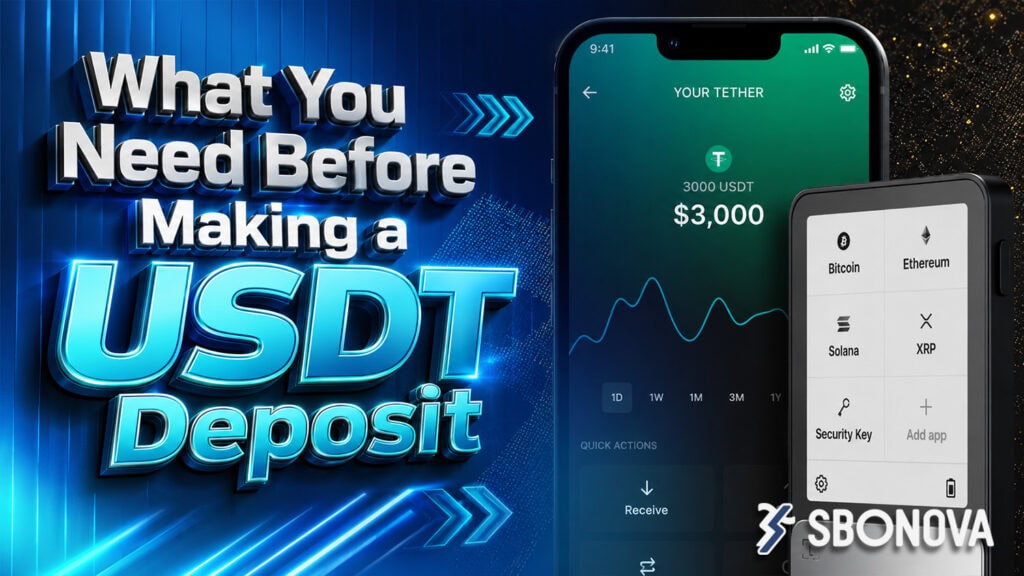
Before starting, prepare the following:
- An active SBONOVA account
- A cryptocurrency wallet or exchange account containing USDT
- Enough USDT for the intended deposit
- Access to the SBONOVA deposit page
- The correct blockchain network shown for the deposit
- Enough balance to cover any network or withdrawal fee charged by your wallet or exchange
Never send cryptocurrency until you have checked both the destination address and the selected network.
How to Deposit USDT on SBONOVA
Step 1: Log In to Your SBONOVA Account
Visit the official SBONOVA website and sign in to your account.
For account-related information, you can also review the SBONOVA homepage.
Step 2: Open the Deposit Section
Go to the cashier, wallet, deposit, or equivalent funding section shown in your account.
The exact menu name should be verified on the current SBONOVA interface.
Step 3: Select USDT
Choose USDT from the available deposit methods.
The platform may display one or more blockchain network options. Do not choose a network simply because it has a familiar name or a lower fee.
Step 4: Check the Network Carefully
This is the most important check.
Your sending wallet and the SBONOVA deposit page must show the same supported network.
For example, USDT can exist on networks such as TRON, Ethereum, and others. This does not mean that every network is supported by SBONOVA.
Always use the network currently displayed and supported on the deposit page.
Step 5: Copy the USDT Deposit Address
Copy the deposit address displayed in your account rather than typing it manually.
Check the beginning and ending characters of the address after pasting it into your wallet. This simple comparison can help catch copying mistakes before the transfer is submitted.
Step 6: Enter the Deposit Amount and Send
Enter the amount of USDT you want to transfer.
Before confirming the transaction, review:
- USDT amount
- Destination address
- Blockchain network
- Wallet or exchange withdrawal fee
- Any minimum deposit requirement displayed by SBONOVA
Once a cryptocurrency transaction has been sent, it may not be possible to reverse it.
Step 7: Wait for Blockchain Confirmation
After sending the USDT, the transaction must be processed by the blockchain and recognized by the receiving platform.
Do not send the same payment again simply because the balance does not update immediately.
Keep the transaction ID or transaction hash until the deposit appears in your SBONOVA account.
Common USDT Deposit Mistakes
The biggest mistakes usually happen before the transfer is confirmed.
Avoid:
- Choosing the wrong blockchain network
- Sending to an old or incorrect address
- Manually typing a wallet address
- Ignoring a displayed minimum deposit
- Sending another transaction before checking the first transaction status
- Assuming SBONOVA, SBOBET, and SBOTOP use identical crypto deposit conditions
Checking these details takes only a short time but can prevent a much more difficult problem later.
Important Reminder for SBONOVA Users
Crypto deposit settings can change. Always use the information currently displayed inside your account rather than relying on an old screenshot, saved wallet address, or third-party guide.
For current promotions or account-specific deposit conditions, check:
SBONOVA Deposit and Withdrawal Guide]
FAQ Section
Can I deposit USDT on SBONOVA?
If USDT appears as an available deposit method in your current SBONOVA account, you can follow the deposit instructions shown there. Availability should be checked directly before transferring funds.
Which USDT network should I use?
Use only the blockchain network currently supported and displayed on the SBONOVA deposit page. The sending wallet network must match the receiving network exactly.
How long does a USDT deposit take?
The supplied information does not specify a guaranteed processing time. Blockchain confirmation speed and platform processing can vary, so check the current deposit status and transaction record.
What should I do if my USDT deposit has not arrived?
First check the transaction ID to confirm that the transfer was successfully sent. Then verify the address, network, amount, and blockchain status before contacting the platform’s current support channel.
Can I reuse an old SBONOVA USDT deposit address?
Do not assume that an old address is still valid. Open the current deposit page and use the address and network information displayed there.
Are SBONOVA, SBOBET, and SBOTOP deposit methods the same?
Do not assume so. Deposit networks, addresses, limits, and account conditions should be checked separately on the platform you are actually using.


![[2026 심층 리뷰] SBONOVA.com 스포츠·카지노, 유저들이 진짜 열광하는 이유](https://sbonova.info/wp-content/uploads/2026/08/SBONOVA_SEO_IMAGES_12-1-300x169.jpg)